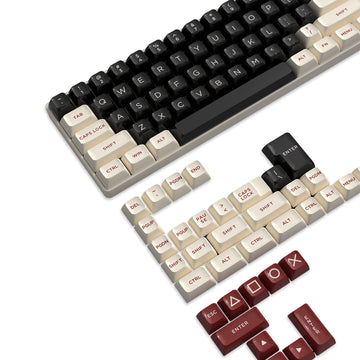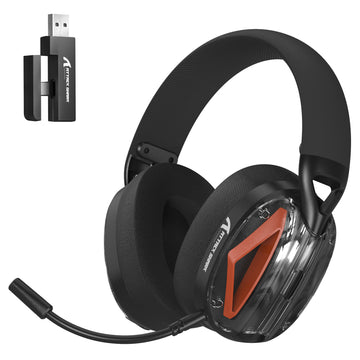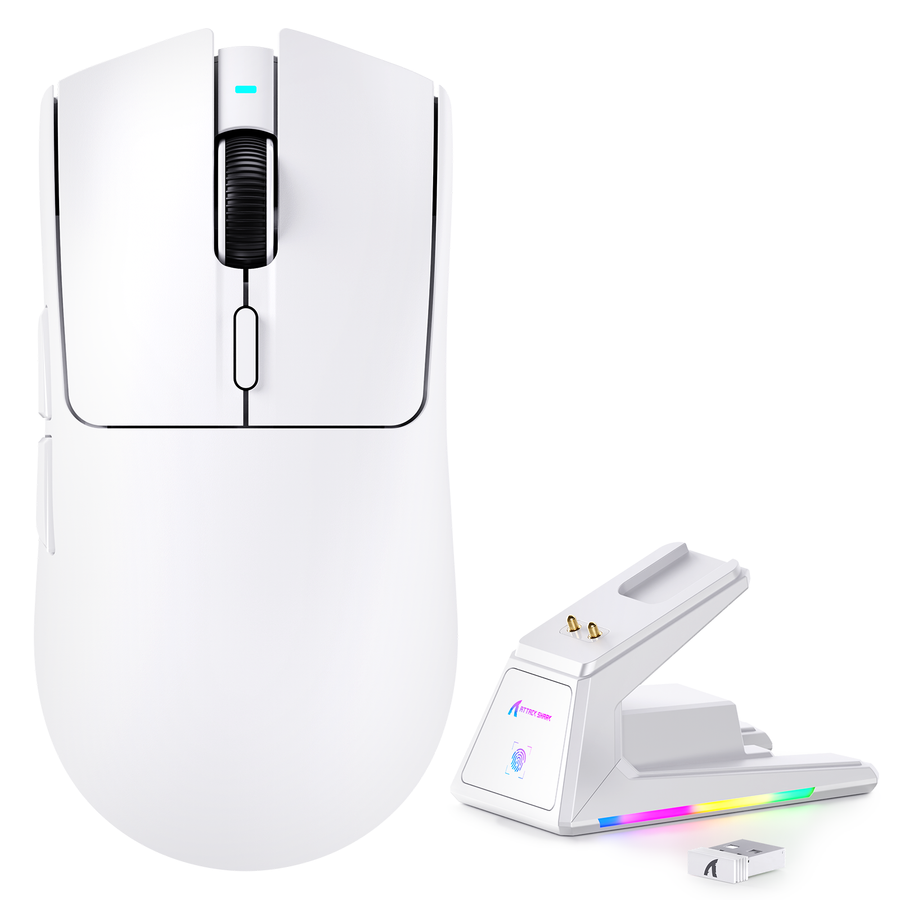

Zacznij od testowania hałasu tam, gdzie to ma znaczenie: z pozycji bliskiego współlokatora lub partnera dla hałasu w pokoju oraz przez nagraną ścieżkę streamu dla hałasu mikrofonu. Zidentyfikuj, czy słyszysz kliknięcie, uderzenie klawisza, ruch powrotny, wibracje, ciągnięcie kabla, hałas kółka lub obudowy albo odbiór mikrofonu. Następnie dokonaj jednej odwracalnej zmiany i przetestuj ponownie w tych samych warunkach. To podejście skoncentrowane na źródle jest najpewniejszym sposobem na zbudowanie cichego zestawu do gier bez wydawania pieniędzy na klawiaturę, mysz lub akcesorium, które nie rozwiązuje rzeczywistego problemu.

Rozpocznij swoje ciche ustawienie do gier, znajdując najgłośniejsze źródło
Pierwszym krokiem jest izolacja każdego źródła zamiast oceniania całego biurka jako jednego dźwięku. Naprawa klawiatury nie rozwiąże problemu ciągnięcia kabla, a czystszy sygnał mikrofonu nie uczyni pokoju cichszym.
- Słuchaj z dotkniętej pozycji. W przypadku wspólnej gry w pokoju usiądź lub stań tam, gdzie zwykle jest druga osoba. Dla streamingu nagraj krótki fragment przez rzeczywistą ścieżkę mikrofonu. Testuj pokój i stream osobno, ponieważ reprezentują różne wyniki.
- Testuj po jednym elemencie naraz. Naciśnij kilka klawiszy, zwolnij je, klikaj i poruszaj myszą, kręć kółkiem, poruszaj kablem oraz stukaj lub przesuwaj biurko i słuchawki. Zachowaj normalną technikę gry i chwyt.
- Skategoryzuj dźwięk. Hałas klawiatury może obejmować początkowy uderzenie klawisza oraz późniejszy ruch powrotny do spoczynku, więc naprawa dolnego uderzenia może nie rozwiązać hałasu ruchu powrotnego lub mechanizmu. Ta analiza dźwięku nacisku i powrotu klawisza wspiera to rozróżnienie, nie ustanawiając uniwersalnego najgłośniejszego elementu.
- Dopasuj najmniejszą interwencję, a następnie przetestuj ponownie. Użyj stabilizacji lub zmian kontaktu dla uderzeń i wibracji, trasowania dla hałasu kabla, zmiany specyficznej dla myszy dla uporczywych kliknięć oraz ustawienia mikrofonu dla nagrywania strumienia. Powtórz ten sam test przed przejściem do bardziej inwazyjnej zmiany sprzętowej.
Użyj pozycji źródła i słuchacza jako granicy decyzyjnej. Jeśli klawiatura nie dominuje z pozycji bliskiego słuchacza, zostaw ją i pracuj nad źródłem, które dominuje.

| Źródło hałasu | Typ dźwięku do zidentyfikowania | Pierwsza akcja o niskim zakłóceniu | Ponownie przetestuj pozycję |
|---|---|---|---|
| Klawiatura | Nacisk, ruch powrotny, kliknięcie lub kontakt obudowy | Ustabilizuj kontakt i przetestuj zachowanie klawisza przed zmianą przełączników | Ścieżka nagrywania z bliskiego słuchacza lub klawiatury |
| Mysz | Kliknięcie, kółko, obudowa, ruch lub ciągnięcie kabla | Oddziel kliknięcia od ruchu i poprowadź kabel | Słuchacz w pobliżu lub ścieżka mikrofonu |
| Biurko i powierzchnia | Drgania, grzechotanie lub twardy kontakt | Ustabilizuj biurko i zmień jeden punkt styku | Słuchacz w pobliżu |
| Ścieżka mikrofonu | Przechwycenie klawiatury lub myszy w sygnale | Dostosuj pozycję i cel, a następnie monitoruj ścieżkę sygnału | Nagrywany lub na żywo sygnał |
Wycisz biurko i kable bez zmiany odczucia klawiszy
Odwracalne zmiany fizyczne to najlepszy pierwszy krok, gdy winne są biurko, powierzchnia lub kabel. Mogą zachować dotychczasowe odczucie klawiszy, ale nadal wymagają ponownego testu kontroli postawy, ruchu myszy i spójności.
- Najpierw ustabilizuj biurko. Dokręć lub przestaw wszystko, co chybocze się, grzechocze lub powoduje twardy kontakt. Stabilna podstawa może wyeliminować drgania, które inaczej byłyby mylone z hałasem klawiatury lub myszy.
- Sprawdź punkty styku. Przyjrzyj się połączeniu klawiatury z biurkiem, ruchowi myszy po powierzchni, kontaktowi kabla z biurkiem oraz pobliskim przedmiotom, które mogą uderzać o zestaw. Zmieniaj jeden punkt styku na raz.
- Wybierz powierzchnię pod kątem dopasowania, nie obietnicy akustycznej. Mata lub podkładka pod mysz mogą zmienić kontakt między myszą, biurkiem i kablem, ale dostarczone dowody nie potwierdzają konkretnego efektu redukcji hałasu. Dopasuj jej rozmiar, zachowanie powierzchni, układ i normalną czułość myszy. Jeśli chcesz porównać opcje podkładek gamingowych, użyj zdiagnozowanego problemu z kontaktem jako powodu do zakupu.
- Poprowadź kable z luzem i zachowaniem odstępu. Upewnij się, że kabel nie uderza o krawędź, nie ciągnie się po twardej powierzchni, nie ciągnie myszy ani nie przenosi drgań do klawiatury lub biurka. Praca bezprzewodowa może wyeliminować ciągnięcie kabla, ale nie gwarantuje, że kliknięcia lub dźwięki kółka będą cichsze.
- Utrzymuj wsparcie cienkie, równe i stabilne. Podpórka pod nadgarstek do klawiatury to opcja komfortu, a nie izolacja akustyczna. Usuń lub przestaw każde wsparcie, które zmienia postawę, stabilność klawiatury, śledzenie lub spójność kontroli.
Po każdej zmianie graj normalnie przez krótki test i słuchaj zarówno dźwięku, jak i zmian w kontroli. Przestań, gdy ustawienie stanie się mniej przewidywalne, klejące, zbyt miękkie lub niestabilne, nawet jeśli jeden dźwięk wydaje się cichszy.
Wycisz klawiaturę, nie rezygnując z odczucia, do którego jesteś przyzwyczajony
Zmiany w klawiaturze powinny następować zgodnie z wykrytym zdarzeniem dźwiękowym. Zacznij od obecnej klawiatury, ponieważ zachowanie znanego dotyku, skoku klawiszy, komfortu pisania i spójności jest łatwiejsze niż przewidywanie, jak będzie się czuł nowy mechanizm.
Zmniejsz hałas bez zmiany przełączników
Aby zmniejszyć hałas klawiatury bez zmiany przełączników, zacznij od najmniej inwazyjnych przyczyn i przejdź do modyfikacji płyty:
- Użyj lżejszego, bardziej kontrolowanego naciśnięcia, jeśli Twoje normalne pisanie powoduje niepotrzebne uderzenia, a następnie porównaj wynik bez zmiany stylu gry podczas testu.
- Sprawdź luźne lub niespójne nakładki klawiszy, ruch płyty, kontakt obudowy lub płyty oraz interakcję klawiatury z biurkiem.
- Jeśli smarowanie lub inna modyfikacja jest odpowiednia dla płyty, najpierw przetestuj mały obszar. Weź pod uwagę demontaż, konserwację, kompatybilność i możliwą zmianę odczuć przed szerokim zastosowaniem.
- Zachowaj oryginalne zachowanie klawiszy jako punkt odniesienia. Przestań, gdy klawisze stają się lepkie, niespójne, zbyt miękkie lub mniej przewidywalne. Przewodnik po typach przełączników klawiatury może pomóc zrozumieć kompromis w odczuciu, ale same kategorie przełączników nie gwarantują konkretnego efektu akustycznego.
Jeśli dźwięk pochodzi głównie z uderzeń lub ruchu powrotnego, te kontrole są bardziej istotne niż natychmiastowy zakup cichej klawiatury gamingowej. Jeśli sam mechanizm pozostaje dominującym źródłem, kompatybilna zmiana przełącznika lub płyty staje się osobną decyzją.
Wymień przełączniki lub klawiaturę tylko w przypadku pozostałego problemu z mechanizmem
Użyj tego podziału opcji, gdy ten sam mechanizm klawiatury nadal dominuje po zmianach kontaktu i stabilności:
| Opcja | Problem dźwiękowy, który może rozwiązać | Kompromis w odczuciu lub kompatybilności |
|---|---|---|
| Dostosowanie istniejącej płyty | Hałas kontaktu, nakładki klawisza, obudowy lub uderzenia | Zazwyczaj zachowuje układ płyty i podstawowe odczucie, ale efekt zależy od dostosowania |
| Kompatybilna zmiana przełącznika | Utrzymujący się hałas przełącznika lub mechanizmu | Wymaga kompatybilności płyty i przełączników; reakcja dotykowa, skok i spójność mogą się zmienić |
| Wymiana klawiatury | Mechanizm, konstrukcja lub układ blokujący potrzebną zmianę | Może zmienić układ, odczucie klawiszy, połączenie, oczekiwania dotyczące oprogramowania i ogólne doświadczenie pisania |
Zmiana przełącznika jest uzasadniona tylko wtedy, gdy płyta na to pozwala, a hałas mechanizmu pozostaje potwierdzonym problemem. Nowa klawiatura jest uzasadniona, gdy istniejąca konstrukcja lub układ uniemożliwiają potrzebną zmianę, a Ty akceptujesz inny sposób odczuwania. Przeglądaj mechaniczne klawiatury gamingowe dopiero po wyjaśnieniu tej granicy. Opisy produktów, warstwy tłumiące lub oznaczenia przełączników to specyfikacje, a nie zmierzone dowody na to, że płyta będzie cicha w Twoim pokoju.
Zmniejsz osobno hałas kliknięć myszy, kółka, ruchu i kabla
Traktuj dźwięki myszy jako oddzielne problemy, ponieważ cichsze kliknięcie nie rozwiązuje hałasu kółka, obudowy, powierzchni ani kabla. Przetestuj kliknięcia, obrót kółka, ruch i ciągnięcie kabla z normalnym chwytem i czułością przed wyborem opcji myszy do gier.
Jeśli dominują kliknięcia, może pasować cichszy profil kliknięć, pod warunkiem że odczucie kliknięcia, dźwięk kółka, chwyt, śledzenie i kształt nadal Ci odpowiadają. Jeśli dominują ruch lub ciągnięcie kabla, najpierw zajmij się ścieżką kabla i kontaktem myszy z powierzchnią. Styl podkładki pod mysz może być wart rozważenia, gdy źródłem jest kontakt z powierzchnią, ale nie jest to gwarancja poprawy akustycznej.
Cicha myszka z kliknięciem może pasować do wspólnego pokoju, gdy powtarzające się kliknięcia są dźwiękiem docierającym do słuchacza. Nie jest to automatycznie właściwy wybór do gier, a bezprzewodowa praca powinna być traktowana jako możliwa zmiana związana z ciągnięciem kabla, a nie dowód na ciche kliknięcia lub ciche biurko. Jeśli myszka nie jest dominująca, zachowaj ją i wróć do źródła zidentyfikowanego w pierwszym teście.
Jeśli transmitujesz, zmniejsz odbiór mikrofonu oraz hałas w pomieszczeniu.
Transmisja na żywo wymaga dwóch oddzielnych napraw: zmniejszenia fizycznego dźwięku dla osób w pobliżu, a następnie ograniczenia niechcianego odbioru w sygnale transmisji. Ustawienie mikrofonu może poprawić nagranie bez zmiany tego, co słyszy współlokator w pokoju.
Umieść mikrofon jak najbliżej swojego głosu i skieruj go w swoją stronę, z dala od niechcianych źródeł. Wskazówki Shure dotyczące bliskiego ustawienia mikrofonu wspierają to jako warunkowy sposób na zmniejszenie odbioru hałasu z biurka. Mikrofon kierunkowy może być również mniej czuły na dźwięki spoza osi, ale efekt zależy od jego wzoru, ustawienia, wzmocnienia i odbić w pomieszczeniu.
Wprowadzaj jedną zmianę na raz i monitoruj faktyczny nagrany lub transmitowany sygnał. Sprawdź także dopasowanie słuchawek i poziomy monitoringu, ponieważ głośny monitoring może ukrywać pozostały hałas z biurka lub przyczyniać się do przecieku dźwięku. Następnie posłuchaj z pozycji osoby znajdującej się obok. Jeśli transmisja się poprawia, ale w pomieszczeniu nie, zmieniła się ścieżka mikrofonu, a fizyczne źródło nadal wymaga uwagi.
Wymieniaj sprzęt tylko wtedy, gdy problem z hałasem uzasadnia zmianę odczuć.
Kupuj sprzęt tylko wtedy, gdy ten sam komponent pozostaje dominującym źródłem hałasu po przeprowadzeniu odwracalnego testu dopasowującego, a jego kompromisy odpowiadają Twoim priorytetom. Wybierz najmniejszą zmianę: myszkę przy uporczywym hałasie kliknięć, kompatybilne przełączniki lub klawiaturę przy hałasie mechanizmu albo brak zmiany sprzętu przy problemie z biurkiem, kablem lub ścieżką mikrofonu.
Przed zakupem zapisz niepodważalne wymagania chroniące odczucie, którego oczekujesz: układ, reakcję klawiszy, chwyt, śledzenie, połączenie, kompatybilność klawiatury lub przełączników oraz warunki zwrotu i gwarancji. Produkt oznaczony jako cichy lub kontrolowane nagranie może pomóc w orientacji względnej, ale nagrania dźwięków klawiatur są porównawcze, a nie gwarancją warunków pomieszczenia. Nie mogą w pełni odtworzyć twojego pokoju, rezonansu biurka ani odczuć podczas pisania.
Praktyczna granica jest prosta: najpierw wykonaj jeden test odwracalny dopasowany do źródła. Jeśli potwierdzone źródło nadal ma znaczenie, a dostępny sprzęt spełnia twoje wymagania dotyczące odczuć i kompatybilności, sprawdź odpowiednie opcje myszy do gier lub mechanicznych klawiatur gamingowych. W przeciwnym razie zachowaj obecny sprzęt i kontynuuj regulację fizyczną lub ścieżki mikrofonu, która odpowiada temu, co faktycznie słyszy słuchacz.
Najczęściej zadawane pytania
Te pytania obejmują główne wybory w cichym zestawie do gier, od odwracalnych regulacji po zmiany sprzętowe, które mogą wpłynąć na odczucie.
Jak mogę wyciszyć mój zestaw do gier?
Zacznij od pozycji słuchacza lub ścieżki mikrofonu, odizoluj dźwięki klawiatury, myszy, biurka, kabla i słuchawek, a następnie sklasyfikuj dominujące zdarzenie. Wprowadź jedną odwracalną zmianę, taką jak stabilizacja kontaktu, poprowadzenie kabla lub dostosowanie ustawienia mikrofonu, a następnie przetestuj ponownie przed wymianą sprzętu.
Czy mogę zmniejszyć hałas klawiatury bez zmiany przełączników?
Tak. Najpierw sprawdź uderzenie klawisza, ruch powrotny, stabilność klawiatury, spójność nakładek, kontakt z biurkiem i siłę nacisku. Jeśli mechanizm nadal jest dominującym źródłem, warto rozważyć zmianę kompatybilnego przełącznika lub wymianę klawiatury, ale może to zmienić odczucie, układ i kompatybilność.
Jaka jest różnica między hałasem bottom-out klawiatury a hałasem przełącznika?
Bottom-out to uderzenie, gdy klawisz osiąga koniec swojego skoku. Hałas przełącznika lub mechanizmu pochodzi z ruchu lub konstrukcji przełącznika, podczas gdy ruch powrotny może tworzyć osobny dźwięk po naciśnięciu. Punkty uderzenia wymagają najpierw sprawdzenia kontaktu i stabilności; uporczywy hałas mechanizmu może uzasadniać porównanie sprzętu.
Czy ciche myszy nadają się do grania?
Mogą się sprawdzić, gdy dominują dźwięki kliknięć, zwłaszcza w wspólnym pokoju, ale porównaj odczucie kliknięcia, dźwięk kółka, chwyt, śledzenie i kształt przed zakupem. Jeśli szarpanie kabla, kontakt z powierzchnią lub wibracje biurka są głośniejsze, cichy klik myszy nie rozwiąże głównego problemu.
Jak mogę wyciszyć mój zestaw do gier do streamingu?
Oddziel hałas pomieszczenia od dźwięku z mikrofonu. Zmniejsz fizyczne źródło dla słuchaczy w pobliżu, następnie umieść mikrofon blisko swojego głosu, skieruj go z dala od niechcianych źródeł i monitoruj rzeczywistą ścieżkę dźwięku. Czystsze nagranie nie oznacza, że samo pomieszczenie stało się cichsze.